What belongs here
Settings holds preferences and the lists those preferences draw from. You choose how the journal looks and what it asks you to track here. You make entries and read their history on the screens those records belong to.
For example, Settings holds a reminder's schedule. The words and details you want to remember stay with the entry or feature the reminder is about. Doses, labs and surgery notes live in Health, not in Settings.
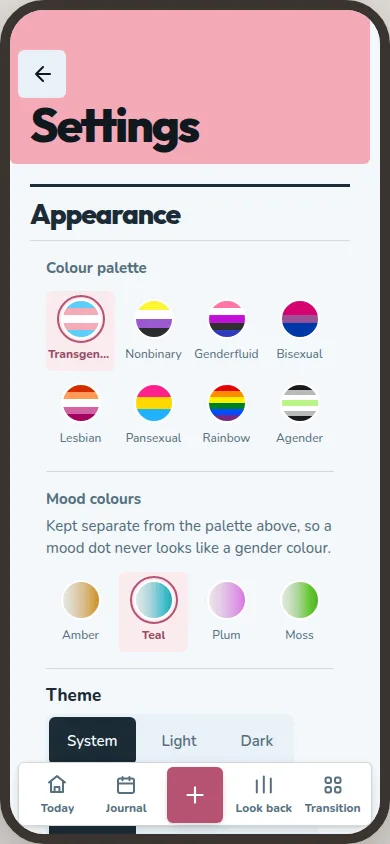
Appearance
Appearance lets you choose the app's language, theme, gender palette and mood colours. The palette has eight choices; mood colours have their own presets. You can also adjust text size, legibility and motion.
Tracking
Tracking holds your active gender scales and the reference lists used across the journal: dimensions, body regions, affirmations, tag groups, modes, entry templates and eras. You can also set a journaling pause and choose words that Look back skips when it finds words that stand out.
Reminders set when you want a nudge. Notifications gives the app's other prompts one place to switch them on or off. Live tiles are switched in Today's editor, beside its pins and agenda kinds.
Live tiles and phone notifications share one list of kinds, even though their switches sit on different screens. A live tile appears when your journal gives it something to show. Phone notifications can arrive when you scheduled one or when an export fails. Look back offers can notify you too if you switch them on. Quiet hours hold notifications until the window ends; they do not erase them.
Privacy and data
Privacy and data holds security and access choices, permissions and the disguise switch. Export is where you make or restore a backup and import from Daylio. Journal book prints a chosen range. Trash keeps deleted entries for 30 days before they are removed.