Where the journal lives
The journal stays in storage on the device where you use it. There is no account, profile on a server or journal upload. The website and hosted app keep private page-opening totals without individual visit records. A browser and the Android app keep separate journals; so do two browser profiles.
When the web app loads or updates, its host can see your IP address, the time of the request, which files the browser asks for and their sizes, plus the User-Agent and referrer headers. That is app traffic. Entries, photos, notes and lab results are not sent to the host. The web app does make network requests to load and update; the journal data stays on your device.
Encryption and access
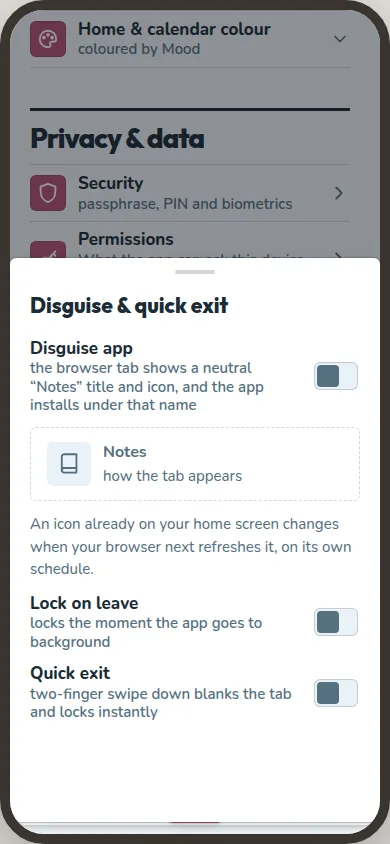
The database is encrypted as a database, including its side files and the copy made before an upgrade changes it. Photos and thumbnails sit outside it, so each file is encrypted separately with the same random data key. Imports run through memory and never touch a temporary file. Sensitive boot data is encrypted too. The app does not claim that every file on the device is encrypted: the wrapped key and the settings needed to open it, your theme, palette and language, lock-on-leave and disguise choices, and the PIN attempt timestamps remain outside. None of those items is journal content.
The data key is random. On the web, your Journal passphrase is processed with Argon2id and used to wrap that key with AES-GCM. The database uses the data key itself, not your passphrase. This lets you change the passphrase without encrypting the journal again. The usable key stays in memory; after the browser session ends, you need the passphrase again. You can also open the web journal with a four-digit PIN and a device-bound key, biometric verification through WebAuthn PRF on a supported browser, or a device-bound key that needs no in-app prompt. That last key stays in its browser profile; clearing site storage, resetting the profile or losing the device can make the local copy unreadable.
Android has four access modes: a device-bound key gated by the phone's screen lock or biometric check; an unlocked mode using SQLCipher and a Keystore key, with no in-app prompt; a four-digit PIN with a hardware-backed key; or a typed passphrase processed with Argon2id. Android Keystore releases its key only after the phone checks who is asking.
A recovery key is optional. It has 25 characters and is shown once; the app does not store it off the device. It can open a web journal only on the device and browser profile that still hold the journal. On Android, it can open the journal on that device if your credentials fail. It cannot move the journal or decrypt an Archive. Without a recovery key, lost credentials cannot be recovered by the maintainer. A forgotten Archive password cannot be recovered either.
Android and network access
The Android app does not request the INTERNET permission. In normal use it opens no network sockets and sends no journal data to a server. Store operators may still record installs and updates under their own policies once Android releases are available.
Android asks for POST_NOTIFICATIONS, SCHEDULE_EXACT_ALARM and RECEIVE_BOOT_COMPLETED to deliver reminders and the daily check-in, use the time you chose, and restore them after a restart. It asks for RECORD_AUDIO and MODIFY_AUDIO_SETTINGS for voice notes, and CAMERA for video notes. A still photo opens the phone's camera app instead. Notifications show a generic label by default, including on a locked screen; you can choose to show the title. Android removes a copied recovery key from the clipboard after one minute.
Archives and other exports
You choose where an exported or shared file goes. A cloud drive or document provider can see its filename, timestamp and size, along with account access records.
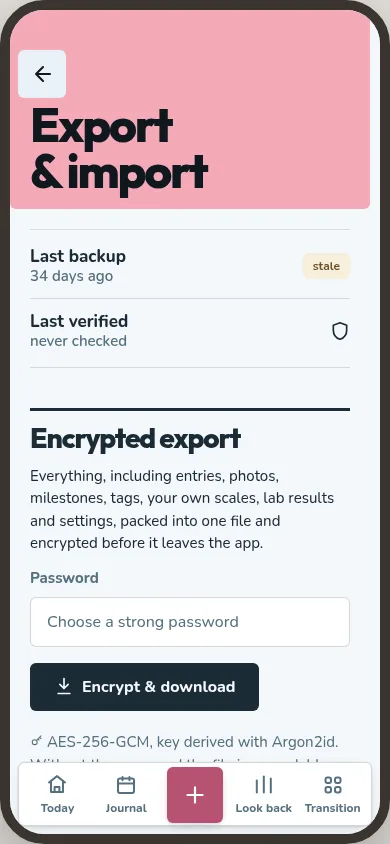
An encrypted .ttbackup Archive, exported by you or scheduled on Android, uses chunked AES-256-GCM and a password you choose. The password protects that Archive, not the journal on your device. Its header stays readable: the first six bytes say GDIARY, followed by the format version, Argon2id settings and salt. The app needs that information to recognise the file and derive its key. The header reveals the format, not your entries. Anyone without the password cannot read the Archive.
Some exports are deliberately readable: CSV and JSON data, journal books for printing or PDF, clinician summaries, photo collages and timelapses, shared Wrapped cards, saved PDFs, and single-event .ics calendar files. Anyone who receives one can read what it contains. The app asks you to confirm or take an explicit action before it makes an unencrypted file.
Security reports
You can report a security problem through GitHub's private vulnerability reporting. Include the app version, device or browser, clear steps to reproduce the problem, and what you expected and saw. Use invented data for a minimal proof.
One person maintains the project, so a report is read when they next sit down to work. There is no fixed response window.